
For developers
Focus tracking for Software Developers on Mac
Most developers go home convinced they were either very productive or totally useless, and they’re rarely sure which. Focus Meter turns the day into a chart you can actually read: real editor time vs Slack vs browser vs meetings.
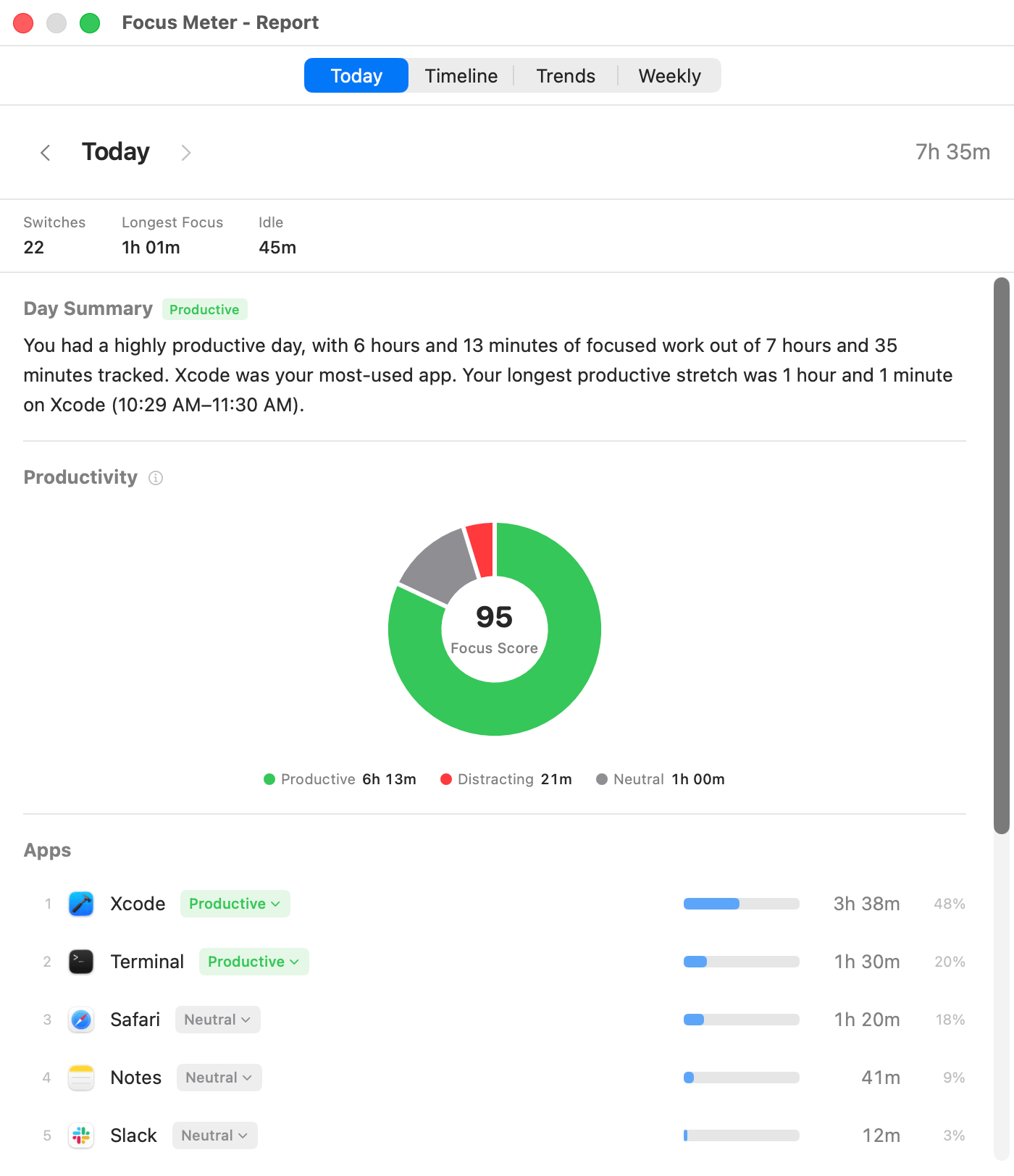
Representative Focus Meter view. Your exact developer workflow depends on your tools, categories, and browser permissions.
What productive looks like
- VS Code, Xcode, or JetBrains IDE frontmost
- Terminal / iTerm2 / Warp active
- github.com in an active browser tab
- Linear or Jira open during planning
Common distraction patterns
- Tab-checking cycle: editor → Slack → Twitter → editor, repeated every 8 minutes
- Stack Overflow rabbit holes that become YouTube rabbit holes
- Very long Slack sessions that feel like “work” but yield zero commits
How Focus Meter helps
Pair VS Code time + Terminal time + GitHub URL time and you have a surprisingly honest “wrote code” signal. Seeing Slack and browser time on the same chart makes context-switching impossible to ignore. Because Focus Meter is on-device only, no employer or vendor ever sees this data.
Sample Focus Meter breakdown
| App / Site | How to think about it |
|---|---|
| VS Code / Xcode | Core coding — usually your biggest productive bar. |
| Terminal | Build, run, deploy — productive by default. |
| GitHub (URL) | PR review and issue triage. |
| Slack | Neutral by default — flip to distracting if you want it against your score. |
| YouTube / Reddit (URLs) | Distracting — counts against your focus score. |
Representative weekly pattern
Representative Mac developer week
| Bucket | Time | Interpretation |
|---|---|---|
| Editor + terminal | 24h 48m | The closest automatic signal for implementation time. |
| GitHub + docs | 8h 20m | Review, research, API docs, and issue triage. |
| Slack + meetings | 15h 05m | Necessary collaboration, but usually the source of fragmentation. |
| Distracting browser time | 3h 44m | Usually clustered around blocked tasks and late afternoons. |
What this usually reveals
- Developer productivity is less about total hours and more about the ratio of editor blocks to communication blocks.
- The clearest warning sign is a high app-switch count: it explains why a day can be full and still produce little code.
- A week with strong GitHub time but low editor time may still be healthy if it was a review or planning week.
Caveats
- Focus Meter measures tool usage, not shipped value. A hard bug fix can take two hours and matter more than eight hours of easy coding.
- It cannot distinguish focused architecture thinking from idle time if you are away from the keyboard.
- Browser URL tracking needs Automation permission for supported browsers.
Developer app guides
Read the dashboard guide
Use the dashboard to compare coding tools, browser domains, and communication time.
Open guide →FAQ
Is Focus Meter a developer surveillance tool?
No. There is no team dashboard, no account, and no cloud upload. The data stays on your Mac for your own review.
Can it measure deep coding work automatically?
It can measure long, active sessions in editor, terminal, and development sites. That is not a perfect measure of output, but it is a strong signal.
Does it read source code or repository names?
No. Focus Meter tracks apps and supported website domains. It does not inspect code, file names, repository contents, or terminal output.
What should developers review each week?
Start with editor plus terminal time, then compare it against Slack, meeting, and distracting browser totals. The ratio matters more than any single number.
Last reviewed May 6, 2026.
Built for developers on a Mac.
$19 once. No cloud. No account. Track a week and see where your hours actually went.
